
Blog /
Use AI to Query Databases Without Losing the SQL
Harsh Vardhan Goswami
On this page
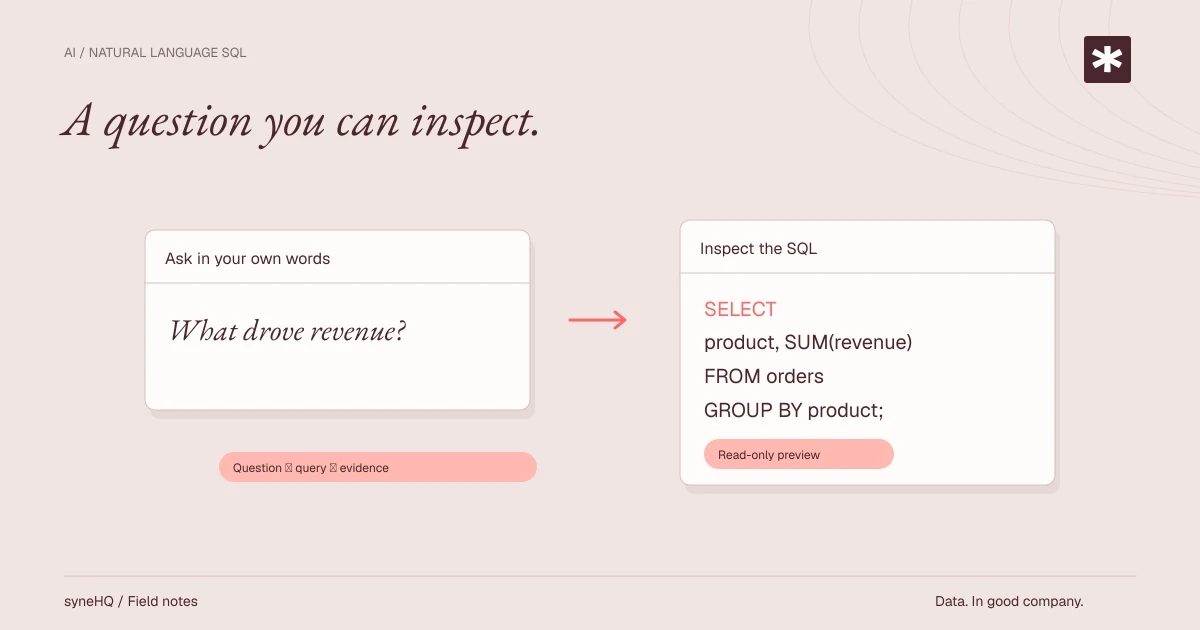
Natural-language querying can make data exploration more accessible, but it does not remove the work of defining a metric or checking a result. The useful model is a loop: state the question, map it to the schema, inspect the generated SQL, validate the output, and keep a record of the work.
The loop is useful for familiar, well-defined questions. It is less reliable when a request depends on undocumented business rules, ambiguous terms, or a complex data model.
What the system is actually doing
An AI query interface does not query a database from general knowledge alone. To produce useful SQL, it needs context about the connected data source: table and column names, data types, relationships, and often descriptions or examples supplied by the team.
Consider this request:
List customers who placed their first completed order in the last 30 days, with the order date and total paid.
The system must decide what "customer" means, where orders live, which status means completed, whether refunds are excluded, and whether "last 30 days" is measured from the current timestamp or from complete calendar days. It then proposes SQL against the actual schema.
In SyneHQ, Kole can use the connected schema to propose a query from a question. The result should be treated as a draft that is visible for review, not as an invisible database operation. The query, its runs, and its output can remain with the surrounding notebook work so another person can inspect the path to the result.
The schema-to-SQL loop
The loop has several distinct stages. Keeping them separate makes problems easier to find.
1. State the question with boundaries
Include the measure, population, time window, grouping, and exclusions. Compare these two prompts:
- "Show customer revenue."
- "Show monthly net revenue from completed, non-refunded orders for paid dates in 2025, grouped by customer segment."
The second prompt still requires a definition of customer segment and net revenue, but it gives the system less room to invent a meaning. A clear question also makes review easier because reviewers can compare the SQL directly with the stated intent.
2. Map words to the data model
The system selects likely tables, columns, and joins from the available schema. It may match "customer" to accounts, "revenue" to net_amount, and "paid" to paid_at, but those mappings are only as good as the model and metadata it sees.
This is why data descriptions matter. A table called events may contain product telemetry, billing events, or audit records. A field called status may refer to an order, ticket, or subscription. Naming and documentation reduce the number of plausible but wrong paths.
3. Generate visible SQL
A generated query should be readable enough to review. For example, a query for completed monthly revenue may look like this:
SELECT
  date_trunc('month', paid_at)::date AS month,
  SUM(net_amount) AS net_revenue
FROM reporting.orders
WHERE status = 'completed'
  AND refunded_at IS NULL
  AND paid_at >= DATE '2025-01-01'
  AND paid_at < DATE '2026-01-01'
GROUP BY 1
ORDER BY 1;
The SQL is not correct merely because it runs. Reviewers should check whether net_amount has the intended currency and tax treatment, whether the status values are right, and whether refunds are represented by refunded_at in this database.
4. Execute with appropriate limits
Start with a narrow period or a small result set. This helps catch an unexpected join or a mistaken filter before a large scan affects a shared database. Query tools may offer previews or row limits; those are useful for exploration, but a limited preview is not proof that an aggregate is correct.
Use a read-only connection for exploratory work. A natural-language interface should not turn a broad question into permission to alter tables, delete records, or change a schema.
5. Validate the result and preserve the record
Compare the output with a trusted report, known records, or an independently written query. Check row counts and totals. Inspect a few records that should be included and a few that should be excluded.
Save the final query with its assumptions, parameters, and a note about what the result represents. A useful record lets a future reader answer three questions: what was asked, what SQL ran, and what data it returned at that time.
Where natural-language SQL works well
The approach is a good fit for bounded questions with a familiar shape:
- Filtering a known table by dates, categories, or status.
- Grouping a defined metric by a documented dimension.
- Producing a first draft of a join that an analyst can inspect.
- Building a repeatable report after the query has been reviewed and saved.
It can also help people learn a schema. Seeing the proposed SQL next to the question exposes table names, joins, and filters that are otherwise hidden behind a request queue.
Ambiguity and failure modes
Natural language leaves room for interpretation. "Active customer" might mean a customer who logged in, had an open subscription, made a purchase, or was assigned to an account manager. The system may select one interpretation without knowing the policy behind it.
Other common failures include:
- Wrong join path. A many-to-many join can multiply revenue or event counts.
- Wrong time field.
created_at,paid_at, andfulfilled_atanswer different business questions. - Incomplete status logic. A query may include canceled, test, pending, or refunded records.
- Hidden grain changes. Aggregating orders by customer is different from aggregating line items by customer.
- Stale metadata. A renamed column, new table, or changed enum can make an old prompt misleading.
- Plausible empty results. A syntactically valid query can filter away all relevant rows.
The model can also produce invalid SQL, reference columns that do not exist, or make an unsupported assumption because the schema is sparse. Error messages can help it revise a draft, but an execution retry does not prove that the revised logic matches the question.
Validate consequential decisions differently
Generated SQL should be reviewed before it informs a consequential decision, such as approving a payment, changing a price, allocating staff, or reporting an external number. The higher the cost of being wrong, the more independent the check should be.
For those cases, use a simple review procedure:
- Write the business definition in plain language.
- Inspect the generated SQL for tables, joins, filters, time boundaries, and aggregation grain.
- Reconcile the result with a trusted source or an independently written query.
- Have a data owner review assumptions that are not encoded in the schema.
- Record the approved query version, parameters, reviewer, and output snapshot.
No AI query tool eliminates human error. It changes where errors can occur. A visible, reviewable SQL draft gives the team a chance to catch them before a number becomes a decision.
Permissions and auditability
The database's permissions should remain the boundary for data access. Give an AI query connection only the schemas and operations it needs. Use separate roles for exploratory readers, analysts who can access sensitive reporting tables, and operators who may change data.
Permissions do not solve every concern. A user who can read a sensitive table can still ask for a sensitive result. Decide which columns should be masked or excluded before connecting the source, and review who can open shared work or exports.
Auditability matters for ordinary analysis too. Keep the question, generated SQL, variables, run history, and result together when the tool supports it. SyneHQ is designed around records that keep notebook work, queries, and results available for inspection, while consequential actions can wait for human approval. The exact controls available depend on the connected path and configuration, so teams should test them in their own environment.
A practical adoption checklist
Start with one well-understood data source. Use the first few weeks to learn where prompts, metadata, and permissions need improvement.
- Choose a reporting use case with a known owner and a stable definition.
- Connect with a least-privilege, read-only role.
- Document important tables, columns, joins, status values, and timezones.
- Create examples of reviewed questions and their SQL for recurring metrics.
- Require SQL review and independent validation for consequential decisions.
- Set expectations for when users should ask a data owner instead of trusting a generated result.
- Keep a record of approved queries, their runs, and changes to their definitions.
- Revisit permissions and metadata when schemas or team responsibilities change.
Takeaway
Natural-language querying is most useful when it makes the route from question to SQL easier to inspect. Start with clear definitions and limited access, review generated queries, and keep the evidence with the result. The goal is not to hide SQL; it is to make sound analysis easier to begin and easier to verify.
Put it to work
Bring the next question into your workflow.
See how Kole brings questions, source data, and review into a shared workflow.