
Blog /
Auditing PostgreSQL Schema Changes with Event Triggers
Harsh Vardhan Goswami
On this page
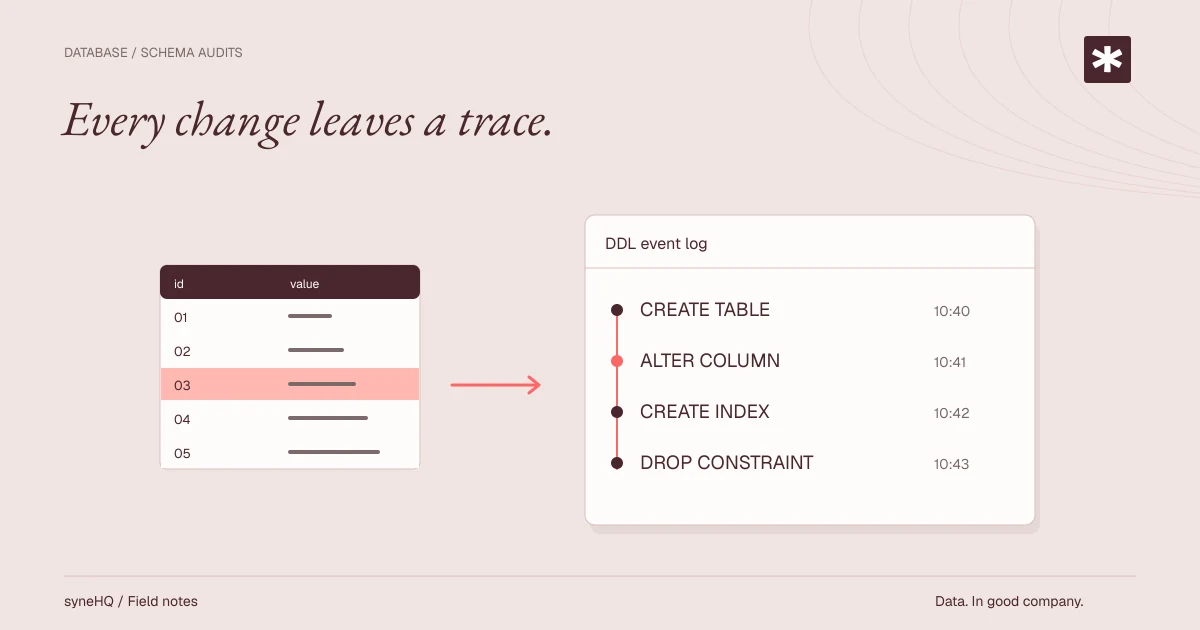
Schema migrations are operational changes. A missing index, an unexpected DROP, or a manual ALTER TABLE can explain an incident long after the query that made the change has disappeared from application logs. PostgreSQL event triggers can record selected DDL activity inside the database transaction that executed it.
That is useful evidence, not a complete database surveillance system. Event triggers do not capture row changes, ordinary reads, or every administrative action. They also record the database role and session context, not a verified human identity. A useful audit design states those limits clearly and makes the context supplied by CI or an application explicit.
This guide builds a small DDL audit trail, then covers the operational controls around it.
Decide what the audit record means
An event trigger runs for a class of DDL command tags. At ddl_command_end, PostgreSQL exposes the commands completed by the current statement through pg_event_trigger_ddl_commands(). The function below records the affected object identity and command tag. current_query() is included as diagnostic text, but it can be a multi-statement batch and should not be treated as an exact per-object statement parser.
The audit record associates each object event with a transaction ID and captures session facts that PostgreSQL knows: the authenticated session role, effective role, client address, application name, and an optional application-defined migration label. It does not infer who authored a commit. If attribution matters, make the deployment system set an agreed session setting and protect who can set it.
Create an isolated audit schema
Run this as an owner role in a non-production environment first. Creating an event trigger requires superuser privileges, so separate the role that installs the trigger from the migration role that later causes it to fire.
CREATE SCHEMA ddl_audit;

CREATE TABLE ddl_audit.transactions (
  transaction_id bigint PRIMARY KEY,
  started_at timestamptz NOT NULL DEFAULT clock_timestamp(),
  session_user_name name NOT NULL,
  current_role_name name NOT NULL,
  client_addr inet,
  application_name text,
  migration_label text
);

CREATE TABLE ddl_audit.events (
  event_id bigint GENERATED ALWAYS AS IDENTITY PRIMARY KEY,
  transaction_id bigint NOT NULL
    REFERENCES ddl_audit.transactions (transaction_id),
  occurred_at timestamptz NOT NULL DEFAULT clock_timestamp(),
  command_tag text NOT NULL,
  object_type text,
  schema_name name,
  object_identity text,
  in_extension boolean,
  query_text text
);

CREATE INDEX events_occurred_at_idx ON ddl_audit.events (occurred_at);
CREATE INDEX events_object_identity_idx ON ddl_audit.events (object_identity);

REVOKE ALL ON SCHEMA ddl_audit FROM PUBLIC;
REVOKE ALL ON ALL TABLES IN SCHEMA ddl_audit FROM PUBLIC;
The tables belong outside the application schema so grants and retention work can be managed independently. Do not grant migration roles direct write access to these tables. An audit reader can receive USAGE on the schema and SELECT on a reporting view or the tables after its access requirements are reviewed.
Install a DDL command-end trigger
The trigger function writes its own rows with a fixed search_path. That avoids resolving unqualified relation names through a caller-controlled path. It is SECURITY DEFINER so the function owner, rather than a migration role, writes audit data. The function owner should be a dedicated non-login role with only the rights it needs on ddl_audit.
CREATE ROLE ddl_audit_owner NOLOGIN;
ALTER SCHEMA ddl_audit OWNER TO ddl_audit_owner;
ALTER TABLE ddl_audit.transactions OWNER TO ddl_audit_owner;
ALTER TABLE ddl_audit.events OWNER TO ddl_audit_owner;

CREATE OR REPLACE FUNCTION ddl_audit.capture_ddl()
RETURNS event_trigger
LANGUAGE plpgsql
SECURITY DEFINER
SET search_path = pg_catalog, ddl_audit
AS $$
DECLARE
  command record;
  xid bigint := txid_current();
BEGIN
  INSERT INTO ddl_audit.transactions (
    transaction_id,
    session_user_name,
    current_role_name,
    client_addr,
    application_name,
    migration_label
  )
  VALUES (
    xid,
    session_user,
    current_user,
    inet_client_addr(),
    current_setting('application_name', true),
    current_setting('app.migration_label', true)
  )
  ON CONFLICT (transaction_id) DO NOTHING;

  FOR command IN SELECT * FROM pg_event_trigger_ddl_commands()
  LOOP
    INSERT INTO ddl_audit.events (
      transaction_id,
      command_tag,
      object_type,
      schema_name,
      object_identity,
      in_extension,
      query_text
    )
    VALUES (
      xid,
      command.command_tag,
      command.object_type,
      command.schema_name,
      command.object_identity,
      command.in_extension,
      current_query()
    );
  END LOOP;
END;
$$;

ALTER FUNCTION ddl_audit.capture_ddl() OWNER TO ddl_audit_owner;

CREATE EVENT TRIGGER ddl_audit_command_end
ON ddl_command_end
WHEN TAG IN ('CREATE TABLE', 'ALTER TABLE', 'DROP TABLE',
             'CREATE INDEX', 'ALTER INDEX', 'DROP INDEX',
             'CREATE SCHEMA', 'ALTER SCHEMA', 'DROP SCHEMA')
EXECUTE FUNCTION ddl_audit.capture_ddl();
This tag list is intentionally small. Add tags only after verifying the event behavior and expected volume in a representative environment. ddl_command_end does not provide a complete dropped-object inventory. If deletion detail is required, add a separate sql_drop event trigger and use pg_event_trigger_dropped_objects() in a different function. Do not call that function from ddl_command_end.
The trigger runs in the same transaction as the DDL. A rollback normally removes the audit inserts too. That property makes committed audit rows correspond to committed DDL, but it also means this table is not an independent record of failed or rolled-back attempts. Database logs, a proxy log, or a separate event pipeline are different tools for that requirement.
Set deployment context deliberately
Use a stable migration role and a connection-level application name. A CI job can attach an immutable build or migration identifier for the transaction it is about to execute:
BEGIN;
SET LOCAL application_name = 'schema-migrate';
SET LOCAL app.migration_label = 'deploy-2025-07-25.3';

ALTER TABLE billing.invoice
  ADD COLUMN source_reference text;

COMMIT;
The label is an assertion from the client. Restrict access to the migration credential and record the CI run, repository revision, and approver in the deployment system if those facts are needed. A developer who can connect with the same role can supply the same label. Treat session_user, current_user, IP address, and label as correlating fields, not proof of a person.
For pooled connections, reset session settings when a connection returns to the pool. Prefer SET LOCAL inside a migration transaction so the label does not leak into an unrelated workload.
Query and protect the records
A basic investigation starts with the transaction and object identity:
SELECT e.occurred_at,
       t.migration_label,
       t.session_user_name,
       e.command_tag,
       e.object_identity
FROM ddl_audit.events AS e
JOIN ddl_audit.transactions AS t USING (transaction_id)
WHERE e.occurred_at >= now() - interval '7 days'
ORDER BY e.occurred_at DESC;
Audit tables can grow with schema churn and extensions. Establish a retention period based on incident, compliance, and storage needs, then delete or archive data using a controlled job. Retention is a policy decision, not a value this example can select for every system. Partitioning by time may be appropriate once the expected event volume justifies it.
Local database permissions do not make an audit record tamper-proof against a superuser or the audit owner. For stronger resistance, restrict those roles, ship records to a separately administered destination, and alert on changes to the trigger, function, schema ownership, and grants. Back up the audit schema with the rest of the database and periodically test restoration.
Test the behavior you rely on
Use an isolated database and test both the DDL and the audit result. The following check confirms that one selected command produces an object event and transaction context:
BEGIN;
SET LOCAL application_name = 'ddl-audit-test';
SET LOCAL app.migration_label = 'test-run-42';
CREATE TABLE public.audit_trigger_probe (id bigint PRIMARY KEY);
COMMIT;

SELECT command_tag, object_identity
FROM ddl_audit.events
WHERE object_identity = 'public.audit_trigger_probe';
Also test a disallowed tag, an extension installation if extensions are used, a rolled-back DDL transaction, and a migration run through the real CI credential. Confirm that audit readers cannot modify data and that migration roles cannot disable or replace the trigger. Test query plans for the reporting queries once the table has realistic history.
Pre-production checklist
- The selected command tags match the DDL that needs to be recorded.
- The trigger is installed and owned by a controlled privileged role.
- CI supplies a documented migration label, and its credential is restricted.
- Reader, writer, and owner grants were tested with real roles.
- Retention, backups, and any external export have an owner.
- The team has tested commit, rollback, and attempted trigger modification behavior.
Event triggers provide useful, transaction-bound DDL evidence when their scope and trust boundaries are explicit. They complement migration logs and deployment records; they do not replace either.
Put it to work
Bring the next question into your workflow.
Keep the query, result, and explanation together when the analysis becomes team work.