
Blog /
Phased PostgreSQL Schema Migrations with pgroll
Harsh Vardhan Goswami
On this page
Changing a live PostgreSQL schema is more than running DDL. Application versions can overlap, a backfill can compete with normal writes, and a short metadata lock can wait behind a long transaction. pgroll is a PostgreSQL migration tool built around a versioned-schema implementation of the expand/contract pattern. It can support phased migrations that are designed to reduce blocking, but it does not remove the need to measure a specific workload.
This guide describes a cautious workflow for a self-hosted PostgreSQL deployment. It does not promise that every migration avoids interruption. Test the exact PostgreSQL version, pgroll release, extensions, privileges, workload, and client connection behavior before treating a migration plan as production-ready.
The expand/contract model
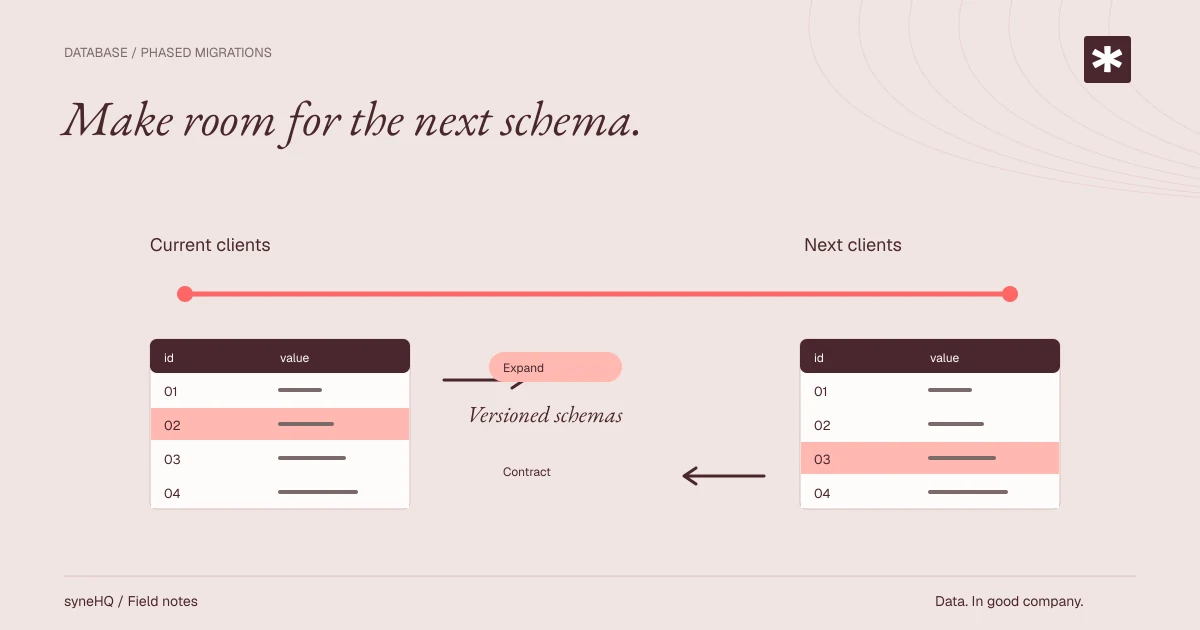
An expand phase introduces a representation that old and new clients can use at the same time. A contract phase removes the obsolete representation only after old clients have been drained. pgroll maintains versioned schemas containing views over underlying tables, allowing clients to select the schema version they expect through search_path.
For a breaking change, pgroll may add temporary columns and triggers while it presents old and new views. A backfill moves existing data to the new representation in batches. Completion removes the older version schema and cleans up temporary migration objects. That sequence makes client rollout part of the migration plan rather than an afterthought.
| Phase | Database state | Client requirement |
|---|---|---|
| Start | Old and new version schemas are available | Route each deployed version to its compatible schema |
| Observe | Backfill and dual representation remain active | Watch database load, errors, and connection distribution |
| Complete | The old version schema is removed | Confirm no live client requires the old schema |
| Roll back before completion | The new version schema is removed | Stop clients that require the new schema first |
The versioned views are a contract. Do not point applications directly at the underlying public tables while relying on version compatibility. Configure search_path at connection setup and test it with the actual driver and connection pool.
Establish a disposable environment first
Install a pgroll release compatible with your PostgreSQL server. Current pgroll documentation supports PostgreSQL 14 and later, with an important caveat: PostgreSQL 14 cannot use security_invoker = true for pgroll's versioned views. Review the tool's release-specific documentation and test row-level security behavior before using it with PostgreSQL 14 and RLS.
Use a non-production database to verify the CLI binary, connection environment, and permissions. pgroll reads its connection settings from its normal PostgreSQL environment or CLI configuration, so set those according to the installed release and avoid placing credentials in a shell history. The following command sequence shows the bounded lifecycle after connectivity is configured:
# Confirm the installed release and its supported connection options.
pgroll --help

# Initialize pgroll's internal state in the target database once.
pgroll init

# Start a migration while retaining both version schemas.
pgroll start migrations/002_invoice_reference.yaml \
  --backfill-batch-size 500 \
  --backfill-batch-delay 100ms

# Complete only after the old application version is gone.
pgroll complete
pgroll init creates a pgroll schema for its migration state. Do not edit that schema by hand. An existing database without pgroll migration history needs a baseline before a normal start; establish that baseline in a rehearsal and review what pgroll captures.
For a new database with no old client schema to retain, pgroll start path/to/migration.yaml --complete is available. Using --complete on a deployed breaking change discards the observation window, so keep start and complete separate unless you have established that no old application version exists.
Write a migration that states the data transformation
Here is a compact example that makes an existing nullable description value non-null. The up expression defines how old values become valid new values; the down expression defines the mapping while both versions exist. The chosen fallback text is application-specific. In a real system, decide whether that fallback is acceptable before deploying it.
operations:
  - alter_column:
      table: invoice
      column: description
      nullable: false
      up: "SELECT COALESCE(description, 'pending description')"
      down: description
During start, pgroll can create a temporary target column, synchronization triggers, and versioned views. The batch flags bound how much work each backfill batch attempts and insert a delay between batches. They are tuning inputs, not a guarantee about lock duration, transaction time, replication lag, or application latency.
Check the migration with the pgroll version you intend to deploy. A useful rehearsal includes data that contains nulls, large values, concurrent updates, constraints, foreign keys, and the query patterns that use the affected table. Inspect the generated objects and remove the test database afterward rather than applying unreviewed experiments to a shared environment.
Route clients by schema version
After start, retrieve or record the new version schema name from pgroll and configure new application instances to use it. Keep old instances on the prior schema until their deployment has drained. The exact version name is migration-dependent, so do not hard-code a guessed suffix into application source.
-- Run on each newly created connection after validating the version schema name.
SET search_path = public_002_invoice_reference, public;

-- A diagnostic query during the rollout.
SHOW search_path;
Set the path through a connection option or an explicit connection initialization step that your pool executes for every checked-out connection. Verify that background workers, one-off scripts, reporting jobs, and read replicas receive the intended configuration. A client that silently falls back to public can bypass the compatibility views and undermine the rollout plan.
Treat locks and long transactions as operating conditions
pgroll's approach can avoid a full-table rewrite for some changes, but it still issues DDL, creates views and triggers, and performs writes. PostgreSQL lock conflicts depend on the precise operations and concurrent workload. Before starting, inspect long-running transactions, blocked sessions, replication health, disk headroom, and available I/O capacity.
SELECT pid,
       usename,
       application_name,
       now() - xact_start AS transaction_age,
       wait_event_type,
       wait_event,
       query
FROM pg_stat_activity
WHERE xact_start IS NOT NULL
ORDER BY xact_start;
Decide who can terminate a blocking session and when before a migration begins. Set a conservative lock timeout for the migration session where appropriate, then let a timeout fail the run rather than allowing an unbounded wait. Coordinate with backup, vacuum, reporting, and bulk-import jobs that may hold locks or generate competing load.
Backfills can generate WAL, increase replication lag, fill disk, and contend with foreground updates. Start with small batches in rehearsal, observe database and application metrics, and increase only when the evidence supports it. Watch statement latency, error rate, lock waits, active connections, CPU, I/O, WAL or replication lag, and the migration's own progress logs. Define pause and abort conditions in the runbook.
Complete only after the compatibility window closes
Completion is an irreversible boundary for the active pgroll migration. It removes the previous schema version and the temporary migration artifacts. Before running it, prove that old application instances, workers, scheduled jobs, and manually operated clients have stopped using the old version.
# Inspect application deployment state and connection telemetry first.
# Then complete the currently active pgroll migration.
pgroll complete
Completion can break a still-running old client because its view schema has been removed. Use deployment inventory and connection monitoring, not an assumption based on a rollout timer. Keep a tested backup and restoration procedure available before a destructive contract step.
Understand the rollback boundary
pgroll rollback applies only while a migration is active: after start and before complete. It removes the new version schema while the old one still exists. Stop or roll back new application instances that require the new schema before issuing the command.
# Only for a migration that was started and has not been completed.
pgroll rollback
After complete, pgroll cannot restore the removed old schema version with rollback; the command is a no-op for a completed migration. Reversing a completed destructive change is a new recovery operation. It may require a forward migration, a restore from backup, data repair, or an application compatibility release. Plan and rehearse that path before approving a destructive migration.
Test the whole runbook
Test with production-shaped data and traffic before the production change. Include old and new application builds, background jobs, a connection pool recycle, concurrent writes during the backfill, a deliberately long transaction, and a rollback before completion. Run a separate rehearsal for completion and for recovery from a completed destructive change.
Record the exact pgroll and PostgreSQL versions, migration checksum or repository revision, connection configuration, operator, start and completion times, and observed behavior. Those records make a later incident easier to diagnose and prevent a successful rehearsal from becoming undocumented tribal knowledge.
Pre-production checklist
- A backup exists and its restore procedure has been tested for the required recovery point.
- The migration has passed a rehearsal with representative data, clients, and concurrent writes.
- Old and new clients set the intended versioned
search_pathon every connection. - Lock timeout, monitoring dashboards, and pause or abort thresholds are agreed before
start. - Backfill batch size and delay were chosen from rehearsal observations.
- The team can identify and drain every old-schema client before
complete. - The recovery plan distinguishes pre-complete rollback from post-complete restoration or a new forward migration.
pgroll can make an expand/contract workflow easier to operate by keeping schema versions available during a migration. Its value comes from combining that mechanism with measured backfills, client coordination, monitoring, and a recovery plan that acknowledges the completion boundary.
Put it to work
Bring the next question into your workflow.
Keep the query, result, and explanation together when the analysis becomes team work.